Cut Time is a platform NPMA uses to track financial information for students involved in the North Penn music programs. Each student has an account which will allow them to view their personal data. Cut Time will show the fees you have been charged, payments you have made, student credit earned through fundraisers, and your total amount due.
View detailed instructions below or download here: Cut Time Instructions
Cut Time Instructions
1. Go to app.gocuttime.com. At the bottom where it says “Need your SMS magic link re-sent?” click on Guardians and enter your cell number. You will receive a text with a link to your student’s Cut Time account. If you need assistance or have any questions, contact NPMA.StudentFinancials@gmail.com.
2. Click the link in the text to open Cut Time in a web browser. Bookmark this link for future reference. You can also email the link to yourself so you can access Cut Time on your computer.
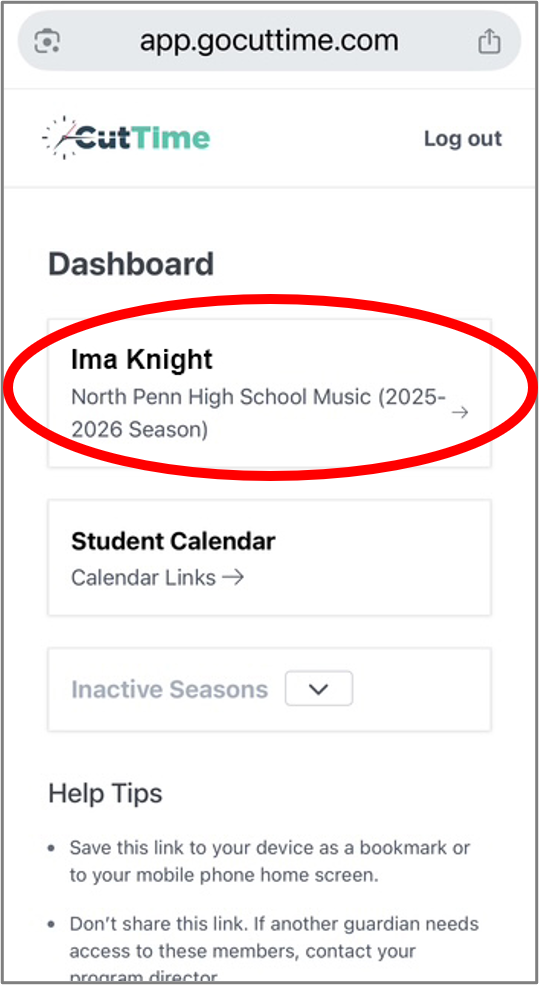
3. Select your student’s name on the Dashboard.
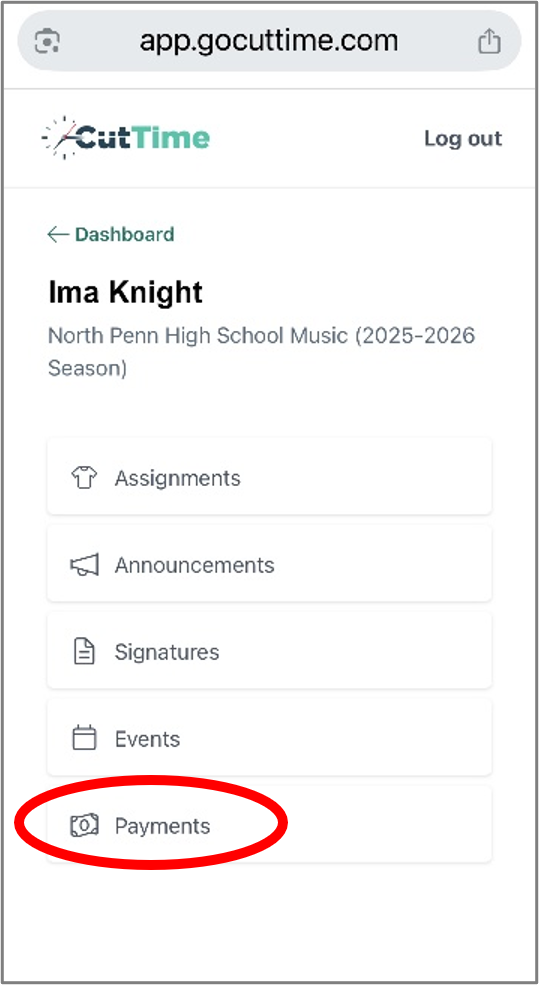
4. This will take you to your student’s page. Cut Time has various features that we don’t use. Select Payments from the list.
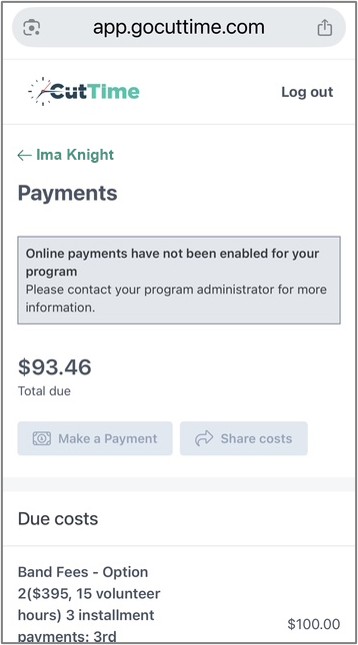
The Payments page shows:
- Total Due: Total cost of band fees and accessories minus any payments and fundraising credits. This is the amount you still owe.
- Past Due: The portion of your total amount due that should have been paid at a previous date. Please pay this amount ASAP.
- Due costs: Band fees and/or accessories that have not been paid for.
- Paid costs: Band fees and/or accessories that have been paid for.
- NOTE: Make a Payment is not activated in our system. Payments must be submitted to the Blue Box or online via PayPal.
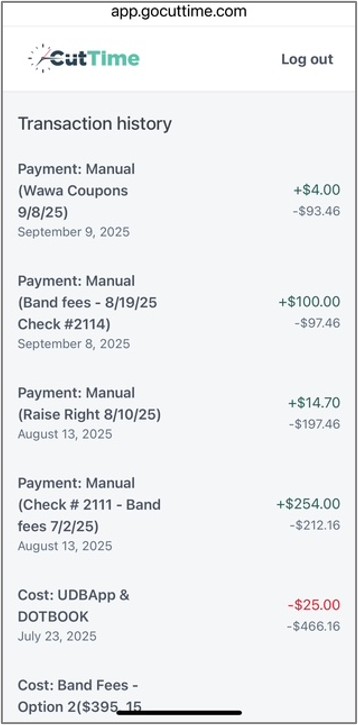
The Transaction History shows:
- All costs, payments and credits are shown in reverse chronological order starting with the most recent transaction. Scroll down to the bottom to see the beginning of the season.
- Costs are in red. At the bottom of the list are all of your costs for the season: Band Fees, accessories and donations you selected during registration.
- Payments and Fundraising Credits are in green.
- Credit carried over from last season is recorded as Transfer In at the bottom of the list.
- The source and date of each payment is specified in parentheses. Check #s are indicated for payments made by check.
- The dollar amount beneath each transaction shows the running balance in your account.
- A negative balance indicates the amount you owe.
- A positive balance indicates excess funds in your account that can be applied to future costs.